A blazing-fast desktop downloaderand a private media library on your NAS
Runs on Windows, macOS, Linux and Docker. From your laptop to your NAS, MediaGo gives you fast downloads and multi-device playback in one place.
- One-click start
- Fast download
- All platforms
Global users
10,000+
Across Windows, macOS, Linux, and Docker.
Tasks processed
1,000,000+
Video, live stream, and media download tasks.
Business partners
50+
Supporting teams and private enterprise deployments.
Technical support
24/7
Ongoing help with usage, deployment, and troubleshooting.
Product Tour · v1.1.0
From one link to usable local media
MediaGo supports single and batch downloads, post-download conversion for local video, webpage media extraction, and centralized management for extension plugins. Every screen below comes from the current app.
- Wide site coverage
- Concurrent downloads
- Windows / macOS / Linux
- Docker / NAS
- Browser streaming
01Create
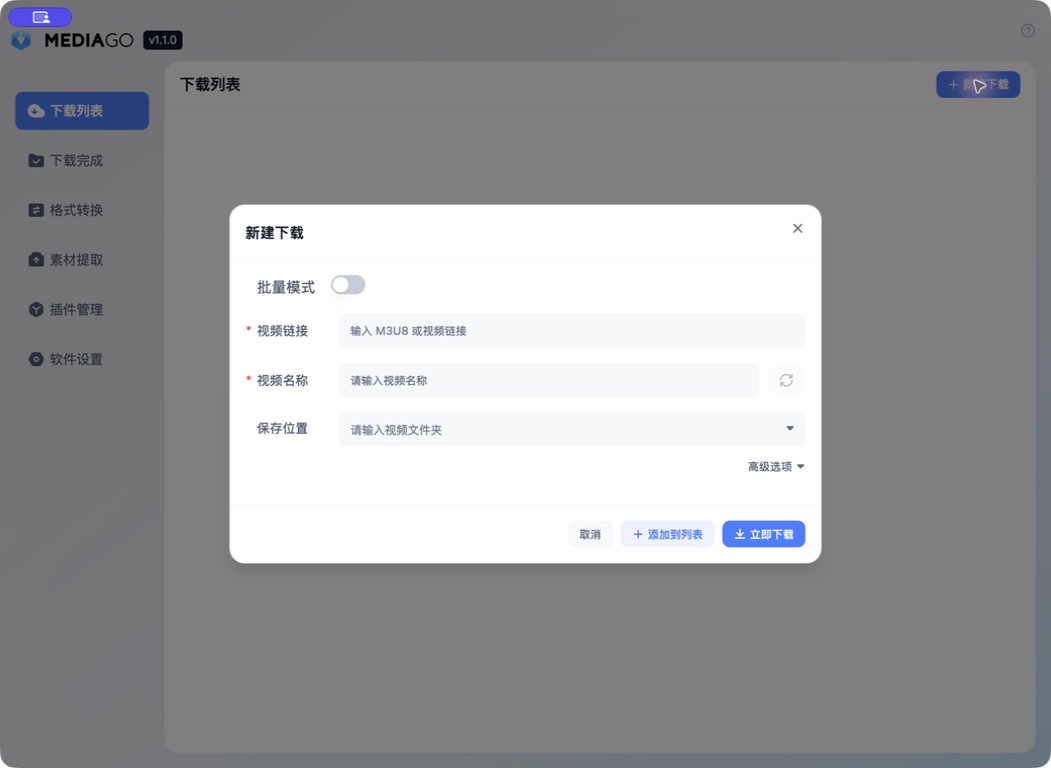
Paste a link and create the task
Set the media URL, name, and destination, then download immediately or add it to the task list. Custom request headers remain available when needed.
- Single link
- Save location
- Advanced options
02Batch
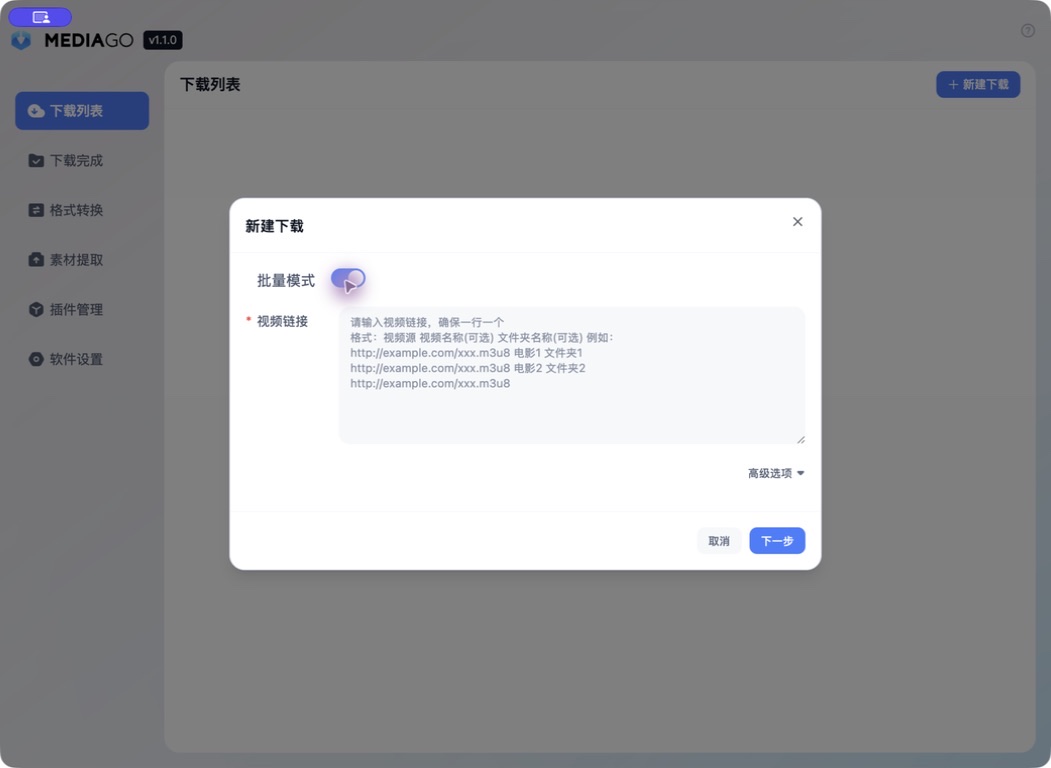
Organize multiple links at once
Batch mode accepts one URL per line with optional names and folders, so the input can be reviewed together before tasks are created.
- One per line
- Optional names
- Folder grouping
03Convert
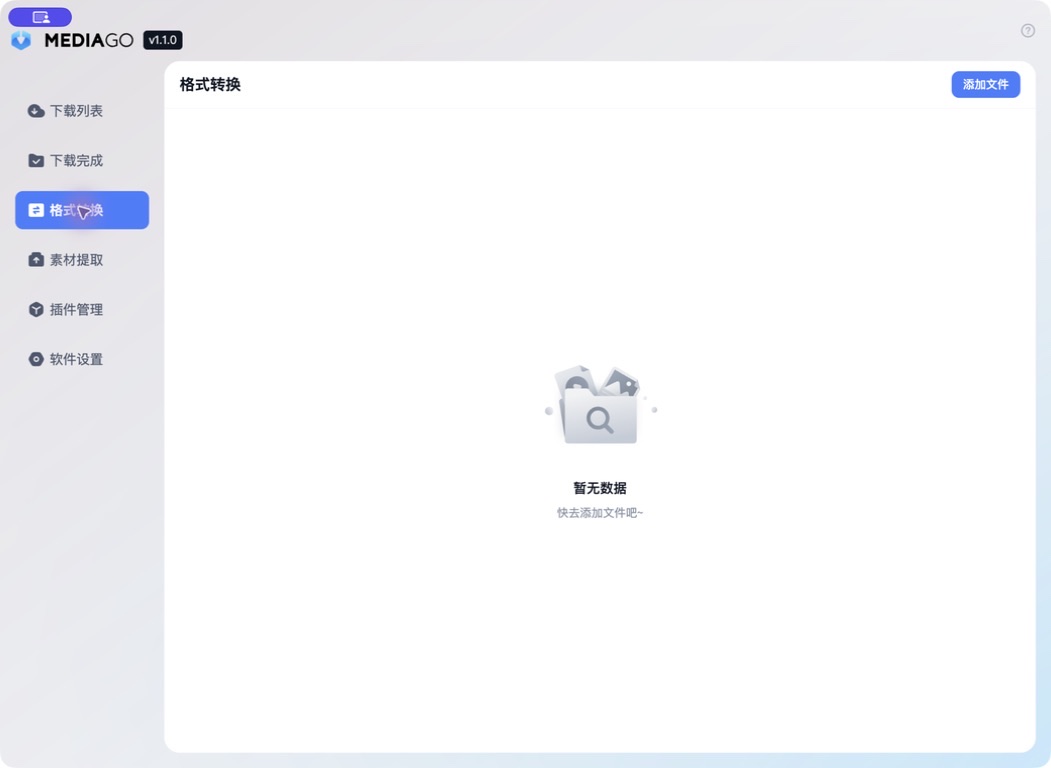
After downloading, convert video to MP3
Add a downloaded video to Format Conversion, then export it as MP3 audio. This is a post-download step for local files.
- Local files
- Video to audio
- Post-download
04Extract
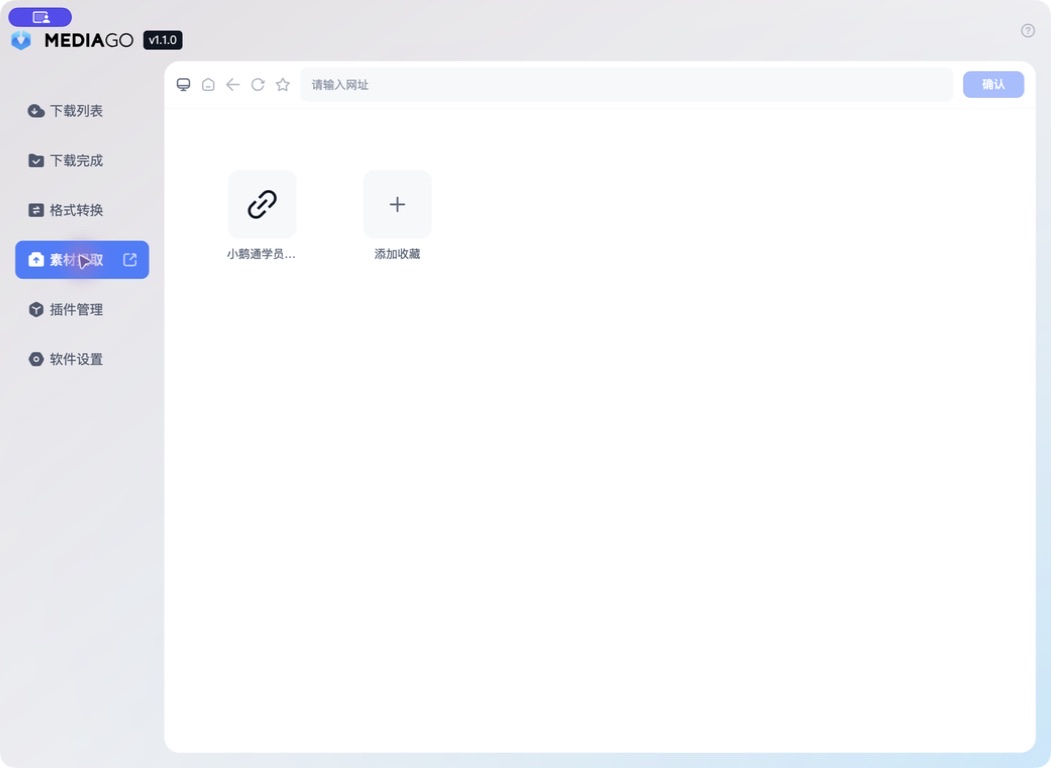
Find webpage media and download it
Source Extraction discovers media on a webpage, then creates individual or batch download tasks for selected items. It is a separate download entry, not a continuation of completed downloads.
- Media discovery
- Single or batch downloads
- Separate download entry
05Extend
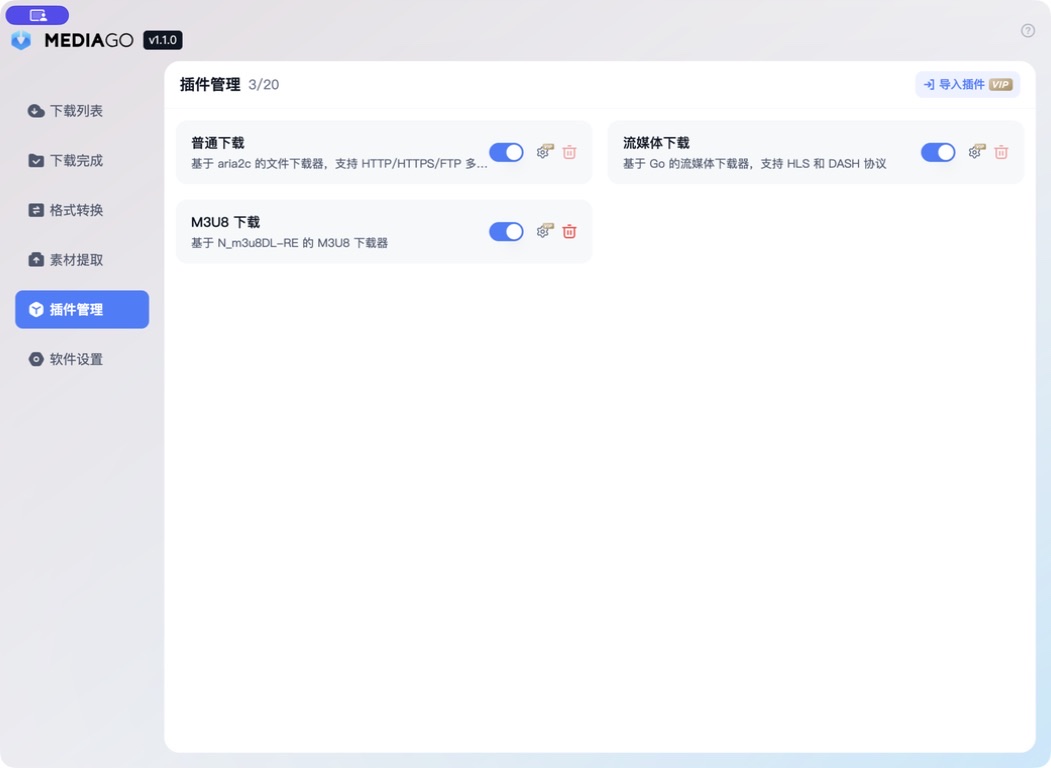
Extend MediaGo with download plugins
Plugin Management keeps installed download plugins and their status in one place. Enable or disable plugins as needed, then—after activation—import extensions from a local file to keep support for different sites and protocols independent and manageable.
- Plugin management
- Enable or disable
- Local file import
Get MediaGo
Put your download queue on MediaGo
Choose a desktop app or Docker deployment and start building your private media library in minutes.